> For the complete documentation index, see [llms.txt](https://docs.keyfax.biz/llms.txt). Markdown versions of documentation pages are available by appending `.md` to page URLs; this page is available as [Markdown](https://docs.keyfax.biz/product-suite/keyfax-keynect/faqs-and-known-issues/portal.md).
# Portal
A list of common questions and known issues when using the KeyNect portal.
### The call duration is zero
When viewing the Call Rsources page you may notice calls that have a duration of zero seconds. This indicates that the mobile user never connected to the KeyNect call. Below is a list of common reasons why the may not have connected.
1. Mobile user didn't receive the text message
2. Mobile user didn't find the text message
3. Mobile user decided not to join the call
4. Mobile user did not have a smart phone
5. Mobile user clicked on the text message but there was no bandwidth due to age of the phone not being able to handle mobile calls and internet connection at the same time
6. Mobile user's phone browser was old and did not support web RTC (the technology used for the video call element)
We recommend that the desktop user edits the call description to capture the reason for the failed call.
### The video quality is low when viewing recordings in the portal
The quality of the video depends on a number of factors but typically is dependant on bandwidth / connectivity. We are at the limit of what quality can be produced by 4G phones. 5G and good connectivity typically produces crystal clear images at higher resolutions and this will only improve with time.
Admin users can adjust video settings against the [Call Classifiers](/product-suite/keyfax-keynect/keynect-portal/call-classifiers.md) such as the frames per second (FPS), the resolution and bitrate. These settings are 'suggestions' from KeyNect to the browser run Web RTC call - requesting that it 'try' to use those settings. If the bandwidth available to the browser allows it the settings will be used, if not the browser will reduce the quality so that the video can be seen.
When the video quality is poor (due to lack of bandwidth availability) this is where the photograph option should be used, as this will always use the full resolution specified in the call classifier direct from the mobile phone.
{% hint style="info" %}
When using KeyNect with Keyfax, it uses the Default Call Classifier. Therefore, before editing the classifier settings we recommend you duplicate the current Default Call Classifier and rename the duplicate 'Backup of default' - and then edit the default call classifier with the new settings, so you have a record of the original settings.
{% endhint %}
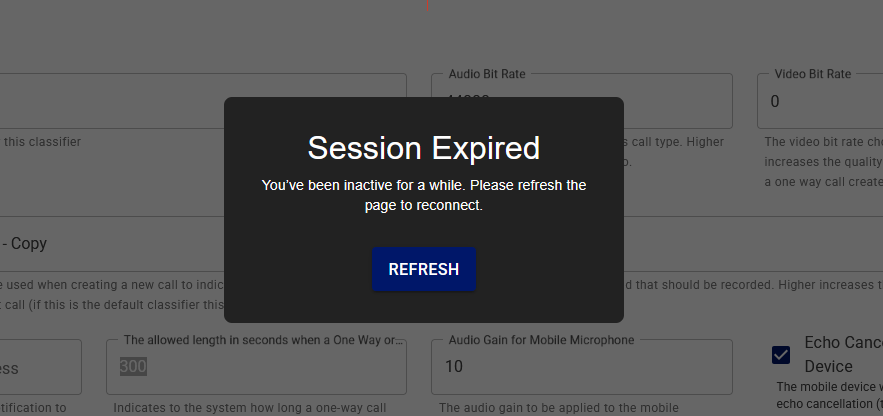
### I’m seeing a message saying the “Session has expired”
The KeyNect portal will expire when inactive for 15 minutes. Simply click the “REFRESH” button to reconnect.
### When creating a call there is no option to create a “One Way Call”
Ensure the “One way calls supported” box is ticked within the [Customisation](/product-suite/keyfax-keynect/keynect-portal/customisation.md) tab for the customer.
### I cannot find a call record within the Call Resources tab
Ensure the search field is not pre-populated with any search terms or your email address. If so, clear this and search again.
Check the Data Retention Period value within the “Customisation” tab is set to the correct retention length. Any media captured before this period will be deleted from the database.
### I cannot create a new call classifier
You must be logged in as a [Customer Admin](/product-suite/keyfax-keynect/installation/keynect-set-up.md) to create and edit call classifiers.